2026 antirez ds4 Runs DeepSeek V4 on Mac: 96/128/512GB Memory Thresholds, Metal Benchmarks and a Buy vs Rent Mac VPS Decision Matrix
In May 2026 Redis creator antirez open-sourced ds4 (DwarfStar 4) and made DeepSeek V4 Flash run on a Mac at usable speeds for the first time, racking up 11K GitHub stars in days. But the 96GB entry, 128GB comfortable and 512GB Pro-capable memory tiers translate into a $4,500 to $15,000 Mac price tag, which lands hard on every independent developer. This guide is for the developers and small teams who are pulled in by ds4 yet refuse to ship code or private data to a third-party API: eight sections covering hardware thresholds, the Metal benchmark matrix, a three-way decision table, a reproducible Runbook and a FAQ, plus a Mac VPS plus DeepSeek V4 plus ds4 elastic compute combination.
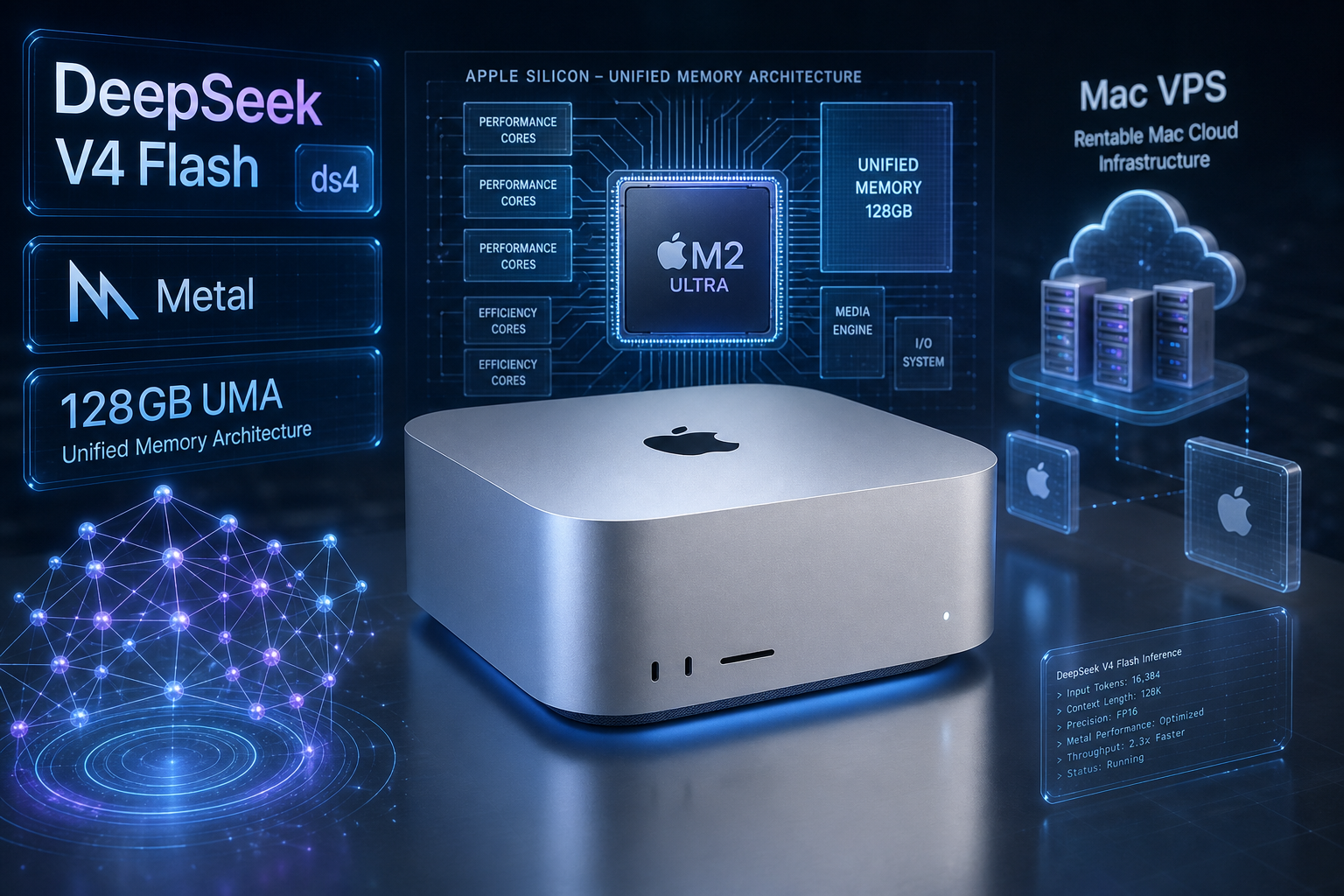
Table of contents
- 1. What ds4 is: antirez's one-week DeepSeek V4 engine
- 2. DeepSeek V4 Flash vs V4-Pro specs and what changed from V3
- 3. Hardware threshold reality: 96/128/256/512GB tiers
- 4. Metal benchmark matrix: MBP M3 Max, Mac Studio Ultra, DGX Spark
- 5. Decision matrix: buy a top-spec Mac, rent a Mac VPS or rent GPU cloud
- 6. Why a Mac: UMA, Metal and the on-disk KV cache
- 7. Minimum reproducible Runbook: ds4 in five steps on a Mac VPS
- 8. Mac VPS plus ds4: the elastic local-inference combo
- 9. FAQ
- 10. Conclusion
1. What ds4 is
In May 2026 Redis creator antirez released ds4 (DwarfStar 4), a pure-C native inference engine purpose-built for DeepSeek V4 Flash, with the main path targeting Metal on macOS and CUDA on Linux. The author wrote it in a single week of fourteen-hour days, wiring V4 prompt rendering, KV state handling, OpenAI-style tool calling and an integrated coding agent into one self-contained binary. It crossed 11K GitHub stars in its first days. The "one model at a time" design is a deliberate bet: as of writing neither llama.cpp nor LM Studio supports V4, so on a Mac ds4 is the only realistic way to run it.
2. DeepSeek V4 Flash and V4-Pro specs in one table
DeepSeek shipped both V4 variants on 2026-04-24 under MIT, with a 1M-token context window:
| Spec | V4 Flash | V4-Pro |
|---|---|---|
| Total parameters | 284B (MoE) | 1.6T (MoE) |
| Active per token | 13B | 49B |
| Context window | 1,000,000 tokens | 1,000,000 tokens |
| Max output | 384,000 tokens | 384,000 tokens |
| Weights on disk | ~160 GB (FP4 + FP8 mixed) | ~865 GB (FP4 + FP8 mixed) |
| License | MIT | MIT |
| Local viability | High-end consumer Mac | Only 512GB Mac Studio or multi-GPU server |
Unlike V3 which split thinking and non-thinking models into separate IDs, V4 turns reasoning effort into a request parameter (non-thinking, thinking, max-thinking). The inference engine therefore loads one set of weights and reuses the KV cache across modes. Flash's 13B activated parameters are the key reason it runs on a Mac at all: after MoE routing each token costs roughly the same as a dense 13B model rather than a dense 30B.
3. Hardware threshold reality: 96/128/256/512GB
Many posts simply say "ds4 needs 96GB" and forget that KV cache also competes for memory. The real picture, combining the ds4 README and community testing:
| Memory tier | Model | Quant | Context ceiling | Typical hardware | Reference price |
|---|---|---|---|---|---|
| 96 GB | V4 Flash | q2 | ~100k tokens | MacBook Pro M3/M4 Max | $4,500+ |
| 128 GB | V4 Flash | q2 recommended | ~250-300k tokens | MacBook Pro / Mac Studio Max | $5,500+ |
| 256 GB | V4 Flash | q4 high quality | 500k+ tokens | Mac Studio M3/M4 Ultra | $8,500+ |
| 512 GB | V4 Flash + V4-Pro q2 | q4 / q2-Pro | Near 1M tokens | Mac Studio M3 Ultra top spec | $15,000+ |
The q2 weights alone are 81GB, plus system RSS and Metal buffers leave less than 15GB on a 96GB box for KV. A full 1M-token KV cache needs about 26GB, so a 96GB machine realistically caps at roughly 100k context, with longer sessions paging or OOMing. 128GB is the no-brainer floor, and 512GB is the only configuration where V4 truly becomes production inference infrastructure.
4. Metal benchmark matrix
Official figures from the ds4 repository, covering short prompts and ~11K-12K-token long prompts:
| Machine | Quant | Prompt length | Prefill | Generation |
|---|---|---|---|---|
| MacBook Pro M3 Max, 128GB | q2 | short | 58.52 t/s | 26.68 t/s |
| MacBook Pro M3 Max, 128GB | q2 | 11,709 tokens | 250.11 t/s | 21.47 t/s |
| Mac Studio M3 Ultra, 512GB | q2 | short | 84.43 t/s | 36.86 t/s |
| Mac Studio M3 Ultra, 512GB | q2 | 11,709 tokens | 468.03 t/s | 27.39 t/s |
| Mac Studio M3 Ultra, 512GB | q4 | short | 78.95 t/s | 35.50 t/s |
| Mac Studio M3 Ultra, 512GB | q4 | 12,018 tokens | 448.82 t/s | 26.62 t/s |
| NVIDIA DGX Spark GB10, 128GB | q2 | 7,047 tokens | 343.81 t/s | 13.75 t/s |
Three takeaways: long-prompt prefill on the Mac Studio M3 Ultra is nearly twice as fast as the MBP M3 Max, in line with UMA bandwidth; q2 and q4 generation on the Ultra are essentially tied (36.86 vs 35.50 t/s), so q4 buys you quality almost for free if memory permits; and the DGX Spark posts a strong prefill but only 13.75 t/s generation, half of the Ultra, suggesting the CUDA path is still maturing and Apple Silicon unexpectedly owns the consumer-grade V4 sweet spot in H1 2026.
5. Decision matrix: buy a top-spec Mac, rent a Mac VPS or rent GPU cloud
The one table that drives the decision:
| Dimension | Buy top-spec Mac | Rent a Mac VPS | Linux GPU cloud (H100/H200) |
|---|---|---|---|
| Upfront cost | $4,500-$15,000 | $0, monthly | $0, hourly |
| Monthly cost (128GB equivalent) | ~$200-$350 depreciation | $200-$550 by tier | $2,000-$4,000 per H100 |
| Run V4 Flash q2 | Native Metal | Native Metal | CUDA branch needed |
| Run V4-Pro | Only on $15K 512GB top spec | Switch to a 512GB instance | Multi-GPU H200 / B200 |
| Privacy boundary | Strongest, on-device | Strong, dedicated instance | Weaker, shared physical host |
| Elastic scaling | None, hardware locked | Up and down on demand | Extremely elastic hourly |
| iOS / macOS toolchain | Native | Native | Not supported |
| Retirement risk | 50%+ depreciation in two years | None | None |
The reading: if you run inference one or two hours a day, renting a Mac VPS is cheaper than buying outright. If you also need training or long fine-tuning runs, keep the Mac VPS as the control plane and push training onto a GPU cloud. The worst trap is the middle tier, paying $8K for a 256GB Mac Studio and discovering a year later that DeepSeek V5 or new quant standards have already shifted the optimal configuration faster than the hardware depreciates.
6. Why a Mac: UMA, Metal and the on-disk KV cache
Three reasons. First, Apple Silicon's unified memory architecture (UMA) lets the GPU directly address all 512GB on a Mac Studio without PCIe round-trips, a physical advantage no discrete GPU rig replicates: an RTX 5090's 32GB VRAM cannot hold V4 Flash's 160GB weights, even four 5090s cannot hold V4-Pro at q4, while a single Mac Studio M3 Ultra loads V4-Pro Q4 at 160-180W TDP. Second, the macOS NVMe SSD plus ds4's on-disk KV cache persists session context across runs, eliminating minutes of re-prefill that ephemeral GPU containers can rarely achieve without extra block storage and custom protocols. Third, the current macOS CPU path has a virtual-memory kernel bug that panics the host when running ds4 on CPU, which means only a Metal-capable high-memory Mac is a usable target.
7. Minimum reproducible Runbook: ds4 in five steps on a Mac VPS
End-to-end from zero to Cursor on a 128GB VPSMAC Mac VPS:
Step 1: clone and build Metal binaries. SSH into the Mac VPS, install Xcode Command Line Tools, then:
git clone https://github.com/antirez/ds4.git
cd ds4 && make    # produces ./ds4 and ./ds4-server
Step 2: download a V4 Flash q2 GGUF. Recommended community quants such as IQ2XXS-w2Q2K-AProjQ8-SExpQ8-OutQ8 weigh in around 81GB; use aria2c -x 16 or huggingface-cli download in the background to avoid hogging the SSH session. Step 3: start ds4-server and verify on-disk KV:
./ds4-server -m ./ds4flash.gguf --ctx 128000 \
             --kv-disk ./kv-cache --port 8080
curl -s http://127.0.0.1:8080/v1/models
Step 4: connect Cursor, opencode or your own agent. ds4-server exposes an OpenAI-compatible /v1/chat/completions endpoint with Tool Calling; set the OpenAI API base in Cursor to http://your-mac-vps:8080/v1 and use ssh -L 8080:127.0.0.1:8080 user@mac-vps to keep the port on loopback rather than the public internet. Step 5: keep ds4-server alive with launchd. Drop a launchd plist into ~/Library/LaunchAgents/ with KeepAlive and stdout/stderr log paths, load it with launchctl load, and stream macOS logs to catch panics, ideally wired into your existing OpenClaw alerting.
8. Mac VPS plus ds4: the elastic local-inference combo
A common question is whether to skip Mac entirely and use Linux GPU cloud, Docker containers or a Windows AI PC for V4. Each of these has hard issues: Linux GPU clouds lack UMA, so V4 Flash needs H100 or H200 nodes whose monthly cost dwarfs the equivalent Mac Studio; Docker on macOS adds Apple Virtualization and IO abstraction overhead and noticeably reduces throughput; Windows with a 32GB RTX 5090 simply cannot host V4 Flash at all; and buying a Mac outright locks you to specific hardware and a steep two-year depreciation curve. When you want one SSH habit to manage ds4 inference, the iOS toolchain, an OpenClaw gateway, launchd daemons and remote GPU orchestration in a single place, renting an Apple Silicon Mac VPS from VPSMAC is usually the better answer: run ds4 on a dedicated 128/256/512GB instance, switch memory tiers on demand, and when you eventually need multi-GPU training delegate to CoreWeave, Lambda or RunPod (see the in-site CoreWeave decision matrix) with the Mac VPS still acting as the control plane. The combined TCO beats stacking everything onto a single GPU node.
9. FAQ
Can ds4 coexist with OpenClaw? Yes. ds4-server defaults to port 8080 and OpenClaw Gateway listens on 18789; they do not collide. Point OpenClaw's provider at ds4's OpenAI-compatible endpoint and your agent can call V4 locally without paying any third-party API. See the in-site OpenClaw v2026.5.20 upgrade Runbook.
Are the ROCm and CUDA branches usable today? The CUDA main branch supports DGX Spark (GB10) and generic CUDA GPUs via make cuda-spark or make cuda-generic; ROCm lives in a community-maintained branch that the author rebases without direct AMD hardware, so production users should prefer Metal or CUDA. When will llama.cpp or LM Studio support V4? Neither has merged V4 support as of May 2026; V4 uses custom DeepSeek ops and reasoning scheduling that take significant porting effort, likely several more months. Until then ds4 is essentially the only V4 engine on Mac. How do you avoid forgetting a rented instance running idle? Combine launchd with a small "alert if no active request for X hours" script, or configure ds4-server to exit after an idle timeout and pair it with the VPSMAC console hourly billing to auto-stop the instance.
10. Conclusion
antirez's ds4 turned "run DeepSeek V4 locally" from a theory into a workable engineering project, and the engineering boundary is the hardware threshold: 96GB is the entry ticket, 128GB the comfortable floor, 512GB the only no-compromise local inference target. Buying a top-spec Mac is both a five-figure check and a hidden depreciation bill two years later. Renting a Mac VPS flattens the curve, lets you spin up 128, 256 or 512GB instances on demand, upgrades V4 Flash to V4-Pro without swapping hardware, and pairs naturally with a GPU cloud for training, which is the most realistic 2026 path for ds4, local V4 and the Apple toolchain together.