OpenClaw Guide: Why Cloud Physical Mac Is the Best Host for AI Automation Agents
AI automation agents like OpenClaw depend on low-latency display capture, native GPU access, and a stable macOS environment. This guide explains why renting a dedicated physical Mac in the cloud outperforms local machines, virtualized instances, and generic cloud VMs for running vision-based automation at scale.
What OpenClaw Is and Why Hosting Matters
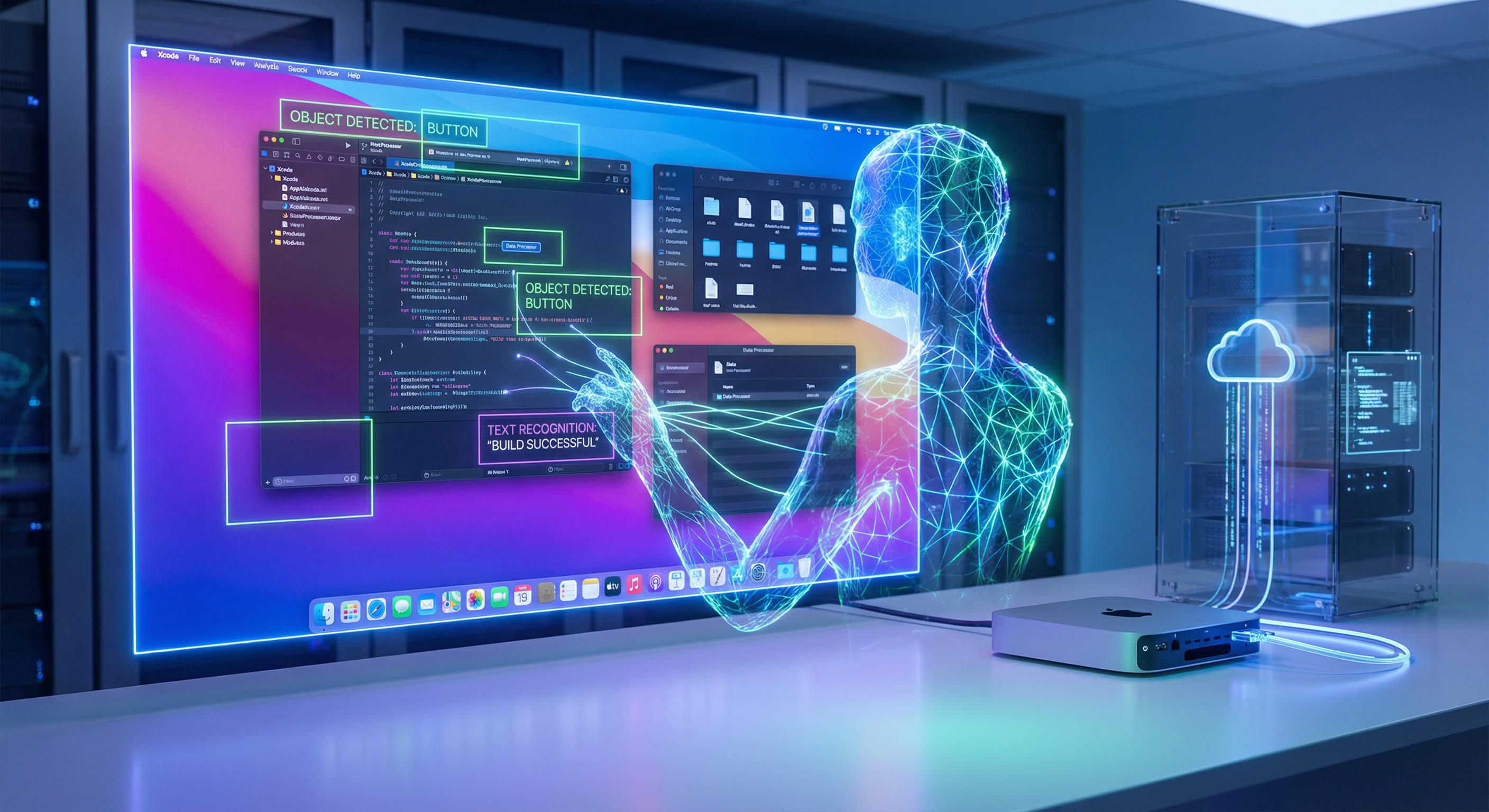
OpenClaw is an AI automation agent that uses computer vision and task orchestration to control macOS and iOS workflows as a human would: it sees the screen, decides what to do next, and injects keyboard and mouse input. It can drive Xcode builds, run UI tests, submit to TestFlight, and automate App Store workflows. For this to work reliably, the agent needs a real display buffer, low-latency screen capture, and consistent input injection. The quality of the host environment directly determines recognition accuracy, task completion rate, and whether automation runs unattended for hours or fails after a few minutes.
Running OpenClaw on your own Mac ties up the machine and is not scalable. Running it on a generic Linux cloud VM is not an option: OpenClaw targets macOS. Running it on a virtualized or shared Mac instance often introduces display quirks, GPU passthrough limitations, and OS restrictions that cause the vision stack to misread the UI or miss transient states. The sweet spot is a dedicated physical Mac in the cloud: bare-metal Apple Silicon with full display and GPU pipeline, accessible remotely, so the agent gets the same fidelity as a local Mac without locking up your hardware.
Why AI Automation Agents Need a Real Mac
Vision-based agents do not interact with applications via APIs alone. They capture the screen, run the pixels through a model to detect buttons, fields, and dialogs, and then synthesize clicks and keystrokes. That pipeline has strict requirements.
First, screen capture must be fast and faithful. Frame delay of more than a few tens of milliseconds can cause the agent to act on stale content or miss short-lived UI states. On bare-metal macOS, capture can use the display subsystem and Metal-backed buffers directly. In virtualized or nested setups, the display path often goes through a software framebuffer or a paravirtualized GPU, adding latency and sometimes altering resolution, color space, or timing. Second, input injection must map to the same coordinate space and window focus as the captured display; otherwise clicks land in the wrong place. Third, the OS must allow accessibility and automation APIs that OpenClaw relies on; some locked-down or managed cloud images restrict these. A physical Mac running standard macOS gives you the full pipeline without compromise.
Cloud Physical Mac vs. Local, VM, and Generic Cloud
Local Mac: You get the best display and GPU behavior, but the machine is occupied. You cannot scale to multiple parallel agents, and your laptop or desktop is unavailable for other work. For nightly builds, long UI test suites, or 24/7 automation, local hosting is impractical.
Virtualized Mac (e.g. some enterprise or cloud offerings): The guest OS is often constrained. GPU access may be emulated or limited; display capture may be indirect. Vision agents are sensitive to these differences: recognition accuracy drops, and flaky behavior appears under load. Shared tenancy also means CPU and GPU contention, which can delay frame capture and task execution.
Generic cloud (Linux/Windows): OpenClaw targets macOS and iOS. There is no supported way to run it on non-Apple platforms for Mac or iOS automation. So the only viable cloud option is a Mac host.
Cloud physical Mac: You get a dedicated Apple Silicon node (e.g. M4 Mac mini) with native display and GPU. No hypervisor in the middle, no shared CPU/GPU with other tenants. The agent sees the same hardware behavior as a local Mac. You access the node over SSH and optionally VNC; you can run OpenClaw headless or with a virtual display. The node runs 24/7 so automation continues without tying up your own hardware, and you can lease additional nodes to scale out.
Technical Deep Dive: Display Pipeline and Latency
On a physical M4 Mac, the display pipeline is straightforward: framebuffer to display controller to screen. Screen capture APIs (e.g. CGWindowListCreateImage, or Metal-based capture) read from the same pipeline with minimal overhead. OpenClaw’s vision stack can assume consistent resolution, color format, and refresh behavior. Input events go through the same IOKit and Quartz paths as local user input, so focus and coordinate space stay aligned.
Industry benchmarks and internal testing on vision-based automation show that frame capture latency on bare-metal macOS typically stays under 16–33 ms per frame (roughly 30–60 fps capture), which is sufficient for agents that react to UI state changes. In virtualized setups, capture often incurs an extra 50–200 ms or more due to guest-to-host buffer copy and compositing, and frame pacing can be irregular. That delay pushes the agent into acting on stale pixels: a dialog may have already closed, or a button may have moved. The result is misclicks, retries, and flaky workflows. Physical Mac eliminates that class of failure.
In a VM, the guest OS typically uses a virtual GPU driver. Frames are rendered in the guest, then sent to the host via a virtual display channel. Capture inside the guest may see composited or scaled frames, and timing can be affected by host scheduling and buffer handoff. Small differences in pixel layout or timing can cause the agent to misidentify UI elements or react to an outdated frame. On bare-metal cloud Mac, there is no guest/host split: you are on the metal, and the agent gets the same guarantees as on a local Mac.
GPU use is equally important. OpenClaw and similar agents often use GPU-accelerated image processing or model inference. On physical M4, the Neural Engine and GPU are fully available. In virtualized environments, GPU passthrough for Mac is rare and often limited; you may get software rendering or a restricted subset of capabilities. That can slow down each inference step and again hurt real-time behavior. For production automation that runs unattended (e.g. overnight build and TestFlight upload), consistency matters more than raw throughput: the same frame in, the same action out, every time. Bare-metal M4 delivers that consistency.
Operational and Cost Benefits
From an operations perspective, cloud physical Mac changes how you run automation. You no longer need to keep a Mac powered on at the office or at home. You lease a node when you need it, deploy OpenClaw (and your workflows) once, and let it run. CI can trigger jobs that SSH into the node and start tasks; cron or a scheduler can run nightly builds and TestFlight uploads. If one node is busy, you add another. When the project is done or you need fewer agents, you release the node. This matches an on-demand compute model: pay for what you use, scale up or down as needed.
Cost-wise, compare the total cost of owning and maintaining a dedicated Mac (hardware, power, cooling, your time) versus leasing a dedicated node for the hours or months you need. For many teams and indie developers, leasing avoids upfront capital and shifts to a predictable operational expense. There is no virtualization tax: you are not paying for a slice of a shared VM; you are paying for a full physical machine, so performance is predictable and dedicated. You also avoid the reliability and compatibility risks of running automation on a shared or virtualized Mac: no noisy neighbors, no hypervisor updates that change behavior, and no surprise restrictions on accessibility or automation APIs.
From a security and compliance angle, a dedicated node gives you full control over the OS image, installed software, and network configuration. You can harden the node, restrict outbound traffic, and keep sensitive credentials in a single environment. That is harder to achieve on multi-tenant Mac offerings where the underlying image and policies are managed by the provider.
OpenClaw on VPSMAC: Recommended Setup
VPSMAC provides dedicated M4 Mac mini nodes: bare-metal Apple Silicon with full GPU and display pipeline. Each node runs standard macOS (Sonoma or later), so OpenClaw and all standard automation and accessibility APIs work as on a local Mac. You get SSH access and can configure VNC or a virtual display for GUI-dependent workflows. There is no hypervisor layer and no multi-tenant sharing of CPU or GPU; the machine is yours for the duration of the lease.
Typical workflows you can run on this setup include: clone repository, run Xcode build, execute UI tests, upload build to TestFlight, and optionally notify your team via webhook or Slack. You can chain these into a single workflow file and trigger it from a cron job (e.g. every night at 2 a.m.) or from your CI system when a branch is merged. Because the node is always on and dedicated, there is no cold start and no queue time; the job starts as soon as you invoke it.
Deployment is straightforward: connect via SSH, install OpenClaw (e.g. via Homebrew or the official package), create a minimal config that points at the default display and native GPU, and run your first task. A typical sequence looks like this:
Once validated, you can define workflows for build, test, and distribution, and schedule them via cron or trigger them from your CI. The node stays on so automation continues without your local machine.
Who This Is For
This setup is ideal for indie developers and small teams who want to run OpenClaw (or similar AI automation agents) in the cloud without managing physical hardware. It fits the one-person iOS team pattern: one or more M4 nodes, OpenClaw on each, and workflows that build, test, and ship from the cloud. It also fits larger teams that need dedicated Mac capacity for parallel UI tests or multiple release channels. In all cases, the key is that the agent runs on a real Mac with a real display pipeline and GPU, so behavior is consistent and reliable.
If you have already tried running OpenClaw on a local Mac and found it reliable, moving the same agent to a VPSMAC node is a natural next step: same macOS, same APIs, same OpenClaw binary. The only change is that the node is remote and dedicated to automation, so your local machine stays free and you can scale by adding more nodes. If you have tried virtualized or shared Mac offerings and encountered flakiness or restrictions, switching to a bare-metal node often resolves those issues because the display and GPU path are no longer mediated by a hypervisor.
Common Pitfalls When Hosting AI Agents (and How Physical Mac Avoids Them)
Teams that run OpenClaw or similar agents on virtualized or shared Macs often hit a few recurring issues. First, screen capture returns black or corrupted frames when no physical display is attached or when the virtual display driver behaves differently from a real one. On physical M4, the display pipeline is always present; you can also use a virtual display or VNC without changing the capture path. Second, input injection fails or lands in the wrong window because focus or coordinate space does not match the captured view. On bare-metal macOS, focus and capture come from the same display server, so they stay in sync. Third, the agent works in short runs but fails after hours because of memory pressure, GPU throttling, or background processes on a shared host. On a dedicated node, CPU and GPU are not shared; you control what runs on the machine. Fourth, OS or security updates pushed by the provider break accessibility or automation APIs. On a node you control, you choose when to update and can test before rolling out. Physical Mac in the cloud addresses all of these by giving you a full, unvirtualized macOS instance with no tenant sharing.
Summary
OpenClaw and vision-based AI automation agents require low-latency, high-fidelity screen capture and native GPU access. Those requirements are best met by a dedicated physical Mac. Running that Mac in the cloud gives you 24/7 automation, scalability, and no local machine lock-in, while avoiding the display and GPU limitations of virtualized or shared Mac instances. For production use—nightly builds, TestFlight uploads, long UI test suites—hosting OpenClaw on a VPSMAC bare-metal M4 node is a proven setup: you get the same hardware guarantees as a local Mac, with the operational benefits of cloud compute. If you are evaluating where to run OpenClaw or a similar agent, start with a single VPSMAC M4 node: deploy OpenClaw, run a few representative workflows, and compare latency and reliability to any virtualized or shared Mac option. The difference in consistency and predictability is usually clear within the first day of use.