2026 Rented Mac Mini M4 for OpenClaw & OpenHuman: Zero-Friction Local AI Agent Deployment Guide
In 2026, OpenClaw and OpenHuman are the two open-source AI agents developers talk about most—OpenClaw excels at Telegram, WhatsApp, and other messaging channels; OpenHuman shines with Memory Tree and a polished desktop experience, and both can route inference through Ollama for on-machine LLMs. If you are weighing buy vs rent vs a Linux VPS, this guide delivers a side-by-side framework comparison, M4 sizing, a five-step rental runbook, install commands, a security checklist, and a cost matrix for rent vs buy vs GPU cloud.
Contents
1. Pain points: agents need 24/7, your Mac sleeps
By 2026, AI agents are no longer “call an API from a script.” They are long-running processes with tool use and multi-channel messaging. OpenClaw (MIT) drives autonomous agents over Telegram, WhatsApp, and Discord; OpenHuman (GPL-3.0, TinyHumans AI) delivers a desktop super-assistant with Memory Tree, voice, and Google Meet features. Both can point inference at Ollama so conversation data can stay on the host you control.
- Laptops are poor marathon hosts: lid-close sleep, fan noise, and memory contention break Gateway connections; OpenClaw’s
launchddaemon and OpenHuman’s GUI both want stable power and network. - Buying a Mac Mini is a capital decision: M4 16GB often starts around $599–$999; M4 Pro 64GB approaches $2,000. Lead times, depreciation, and “wrong RAM with no monthly upgrade” are real costs.
- Linux VPS lacks native macOS: OpenClaw can run on Linux, but you lose LaunchAgent ergonomics, Keychain flows, and parts of the Apple toolchain; OpenHuman’s Tauri desktop on a headless VPS needs VNC and extra ops surface.
The practical middle path: rent a dedicated physical Mac Mini M4 cloud node (not a containerized faux macOS), with SSH/VNC in roughly ten minutes, datacenter networking, and daily/weekly/monthly billing. You get real Apple Silicon with full Neural Engine access—16GB runs 13B quantized models smoothly; 64GB M4 Pro can host 70B-class local inference. That is the mainstream 2026 shape for “local-first agents.”
2. OpenClaw vs OpenHuman comparison table
| Dimension | OpenClaw | OpenHuman |
|---|---|---|
| License | MIT | GPL-3.0 |
| Primary shape | CLI + Gateway + IM channels | Tauri desktop GUI |
| Typical use | Telegram bots, Cron, Webhook automation | Personal assistant, Gmail/Notion/Slack, meeting avatar |
| Memory model | Session/files; configurable MEMORY.md | Memory Tree (Markdown persistent memory) |
| Local AI | Ollama (OpenAI-compatible API) | Ollama / LM Studio; v0.53+ can bind Ollama lifecycle |
| Voice / meetings | Plugin extensions (e.g. Meet channel) | Native voice, Google Meet attendance mode |
| Background service | openclaw onboard --install-daemon → LaunchAgent | Desktop resident + optional core service |
| Security tooling | openclaw security audit --fix | Local data, explicit opt-in in config.toml |
Selection guidance: choose OpenClaw when IM is the front door for automation; choose OpenHuman when long-term memory and desktop integration matter. Both can live on one 32GB+ cloud Mac, but cap Ollama memory so two heavy processes do not fight for unified memory.
3. Mac Mini M4 sizing and inference capacity
Community and vendor benchmarks (May 2026) suggest these practical bands:
- M4 16GB: OpenClaw Gateway + Ollama 7B–8B (Llama 3.1 8B roughly 18–22 tok/s); best when cloud APIs handle hard reasoning and a small local model routes traffic.
- M4 24GB: Can keep a 13B Q4 model and one IM channel, with ~8–10GB left for macOS and Gateway.
- M4 Pro 64GB: Llama 3.3 70B Q4 around 8–12 tok/s; suited to “zero cloud token” privacy postures.
OpenHuman v0.53.43 (2026-05-13) ships aarch64 macOS installers and merged changes to bind Ollama serve lifecycle to the OpenHuman process, reducing “model evicted, cold start on next request” surprises. Minimum RAM is 8GB; 16GB+ is recommended for production.
4. Deployment decision matrix
| Option | Monthly cost band | Native macOS | 24/7 fit | Local 13B+ |
|---|---|---|---|---|
| Buy Mac Mini M4 16GB | Amortized hardware + power + ISP | ✅ | Depends on home network | ✅ |
| Rent VPSMAC Mac Mini M4 | ~$100/mo tier (plan-dependent) | ✅ bare metal | ✅ datacenter + launchd | ✅ |
| Linux VPS + Docker | Lower | ❌ | ✅ but no native OpenHuman GUI path | No Metal |
| Cloud GPU (H100 class) | High | ❌ | Training/inference clusters | Overkill for agent gateways |
For teams sensitive to data residency and regional models (e.g. Qwen2.5), a cloud Mac in Hong Kong or Singapore keeps inference on the rented host and limits cross-border data movement. See our guides on OpenClaw with Ollama on Mac cloud and OpenClaw one-click deployment and troubleshooting.
5. Five-step runbook: from rental to dual agents live
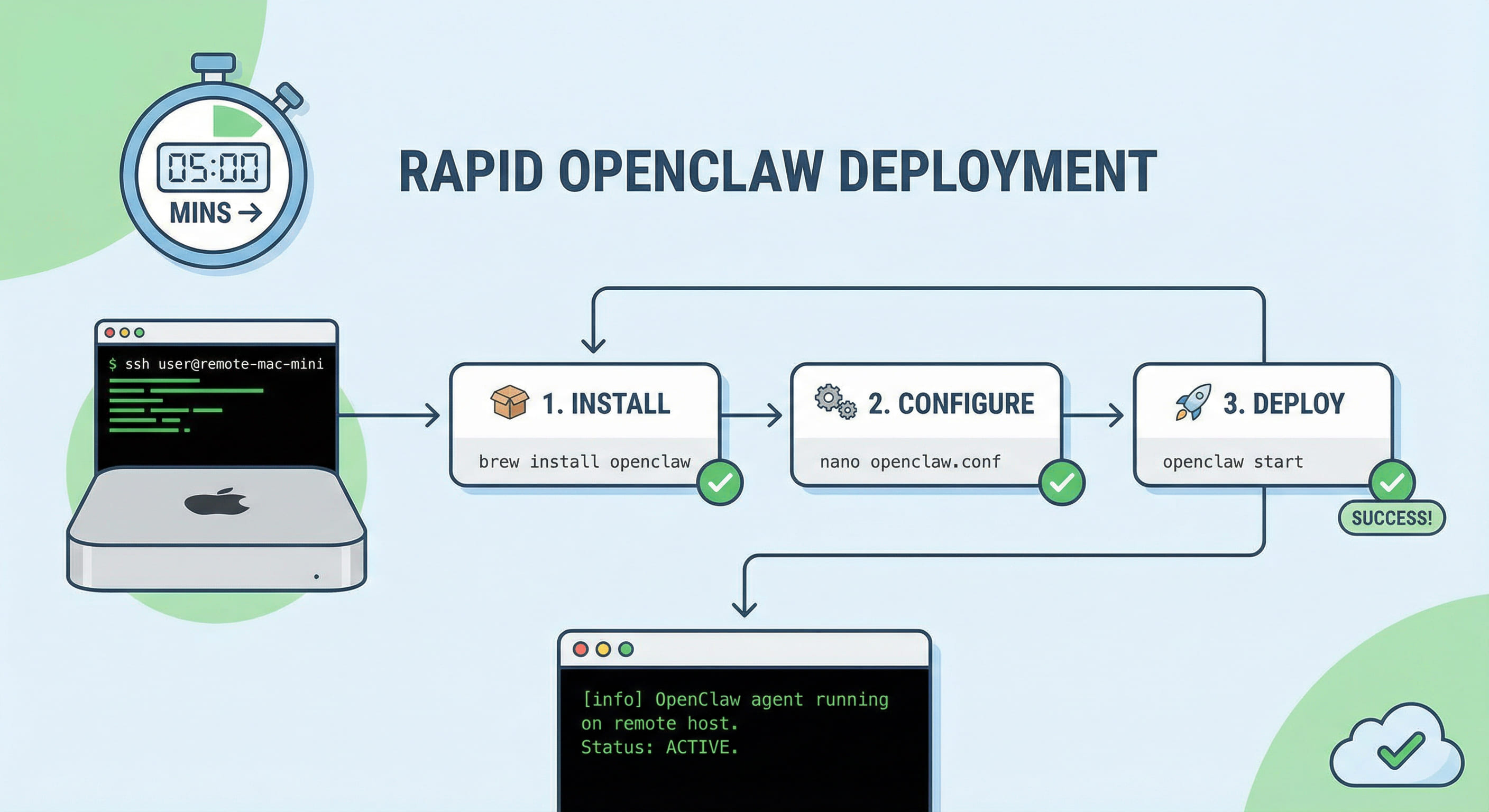
Step 1 · Provision cloud Mac and verify: In the VPSMAC console, pick M4 16/32/64GB and record SSH user and hostname; smoke-test with sw_vers, sysctl hw.memsize, and curl -I https://ollama.com for outbound access.
Step 2 · Install Ollama and baseline models:
brew install ollama
brew services start ollama
ollama pull llama3.2
ollama pull qwen2.5:7b
Step 3 · Deploy OpenClaw (Node.js ≥ 22):
curl -fsSL https://openclaw.ai/install.sh | bash
openclaw onboard --install-daemon
openclaw security audit --fix
# Point provider at local OpenAI-compatible endpoint:
# http://127.0.0.1:11434
Acceptance checks: openclaw doctor, lsof -nP -iTCP:18789 -sTCP:LISTEN, and a round-trip Telegram message. For gateway hardening details, see the gateway runbook (port 18789).
Step 4 · Deploy OpenHuman v0.53+:
curl -fsSL https://raw.githubusercontent.com/tinyhumansai/openhuman/main/scripts/install.sh | bash
# config.toml — enable local AI:
# local_ai.runtime_enabled = true
# local_ai.opt_in_confirmed = true
Complete onboarding for Gmail/Notion/Slack as needed; confirm Ollama endpoint 127.0.0.1:11434 in settings. Memory Tree compresses multi-source context into Markdown memories—ideal when the assistant should remember habits from last week.
Step 5 · Resource limits and security wrap-up: Set OLLAMA_MAX_LOADED_MODELS=1 and concurrency caps; keep OpenClaw listening on 127.0.0.1:18789 and use SSH tunnels for remote admin; encrypt backups of ~/.openclaw and OpenHuman data dirs; follow provider wipe procedures before offboarding.
6. Citable technical facts
- OpenClaw Gateway default port:
18789(community troubleshooting convention; multiple instances requirelaunchctl bootoutof the old service first). - OpenHuman latest stable line: v0.53.43 (2026-05-13), including Ollama lifecycle binding from PR #1638.
- Node runtime: OpenClaw recommends Node.js ≥ 22 (installer can bundle it).
- M4 idle power: roughly 4–8W, suitable for datacenter 24/7; home purchase adds electricity and cooling.
- Rental delivery: dedicated physical Mac Mini M4, not Docker-wrapped macOS; shortest path ~10 minutes to SSH (per plan terms).
- Dual-agent tip: pin one Ollama model with
OLLAMA_MAX_LOADED_MODELS=1when OpenClaw and OpenHuman share the same host.
7. FAQ
Q: Must I pick OpenClaw or OpenHuman? No. A common split is OpenClaw for IM and Cron, OpenHuman for desktop memory and meetings; on 16GB, avoid loading two large models at once.
Q: Can I use Windows or WSL2? OpenClaw supports WSL2, but production still favors macOS launchd; OpenHuman desktop is best on macOS. See WSL2 to Mac cloud migration.
Q: Are local models much worse than Claude API? 8B–13B models excel at narrow tasks and routing; configure provider fallback to cloud for hard reasoning while the Gateway schedules everything.
8. Conclusion and path forward
The 2026 sweet spot is often not “buy another GPU,” but rent an always-on Mac Mini M4 and colocate OpenClaw, OpenHuman, and Ollama on one Apple Silicon host: controlled data, saved tokens, expandable channels.
Running on a laptop, forcing GUI on a cheap Linux VPS, or buying a Mac locked into depreciation can each demo quickly, then accrue debt on 24/7 stability, Memory Tree I/O, and LaunchAgent operations. If you want an auditable, extensible local AI agent production base, renting a VPSMAC dedicated Mac Mini M4 cloud host usually matches OpenClaw and OpenHuman design assumptions better than generic cloud VMs—native macOS, UMA inference, elastic monthly terms, and energy focused on agent logic instead of datacenter chores. Pick a node size in the console and complete dual-stack acceptance within about thirty minutes using this runbook.